ATIS Hosting Guide
Summary
Since the deprication of VATATIS, VATSIM UK only supports the hosting of ATIS using vATIS, a stand alone program.
This page how to set up an ATIS using vATIS.
Setup
vATIS is a standalone piece of software, which requires some first time setup:
-
Select the correct version for your operating system from
 the vATIS website. (This documentation was written using Version 4.1.0-beta.16, you must be using a version newer that 4.1.0-beta.5).
 -
Run the Downloaded
vATIS-Setup.exe. -
Run vATIS
-
Click
Import -
Navigate to your UK Controller pack location (usually in AppData\Roaming\EuroScope\UK).
-
Open the 'vATIS` folder.
-
Select the profile for the position you are controlling. e.g.
ADC/Essex(EGSS & EGGW & EGSC).json(you can select multiple profiles to import at once). -
Double click to open the imported profile.
-
In
User Settingsfill in your VATSIM credentials and preferences, thenSave Settings.
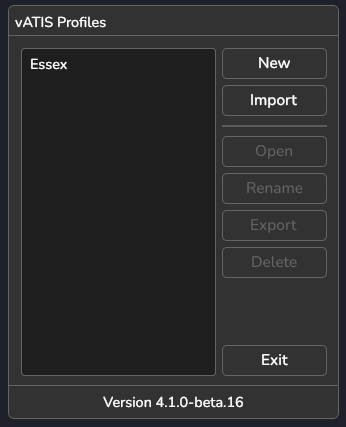
Your vATIS is now ready to use, and for this example will look like this when you first load vATIS:
Usage
-
Open the desired profile
-
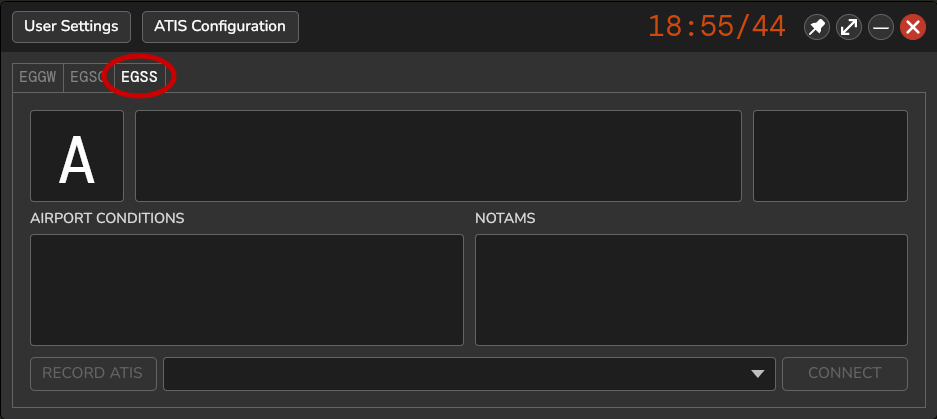
Ensure the correct airport is selected (for example ESSEX has 3)
-
From the bottom drop down menu select the current runway in use.

-
Click the
ARPT CONDtext and select any that apply, e.g. current staffing, or weather conditions.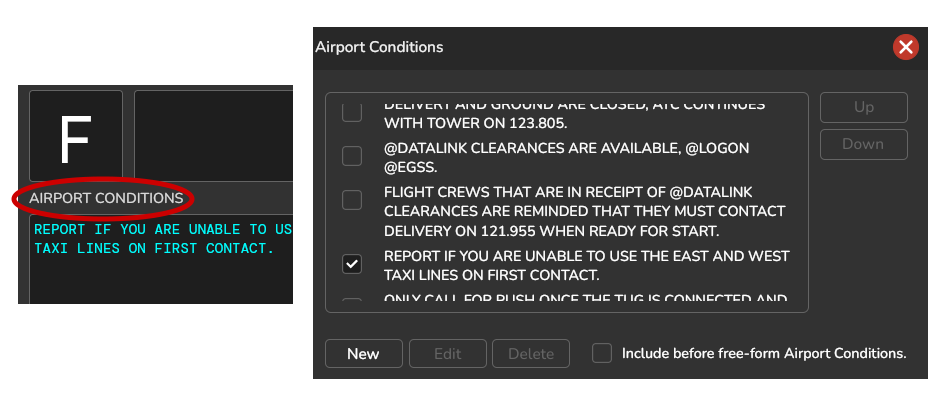
-
Click
CONNECT -
Shift and
double clickthe ATIS letter and type the desired letter in (Enter to confirm). (if you are taking over from someone, the letter should already be correct)
Note
When hosting separate ATIS for arrivals and departures, the letters should be separated so that the letters are never the same. It is recommended to start with A for arrivals, and M for departures.
To add custom NOTAMs or Airport Conditions, click the type in the relevant field
Once setup, to use less screen space, this button at the top-right  will collapse it into a 'mini' mode.
Warning
Unlike VATATIS, vATIS will not automatically detect changes to who is online, so if the controller state changes, the ATIS needs to be manually updated.
Support
If you're still having problems after following this guide, you can ask for help in the #community-help forum in the VATSIM UK Discord.
If you spot an error in the profiles or wish to update them, raise an issue on the Controller Pack GitHub.